Which files you can open
PDF, DOCX, TXT, HTML, PNG and JPEG files up to 15 MB. The original is stored separately, so you can go back to it after editing. The editor works in the browser on a computer or phone, as well as in the Mac and Windows apps with the same account.
Two modes: original pages or text
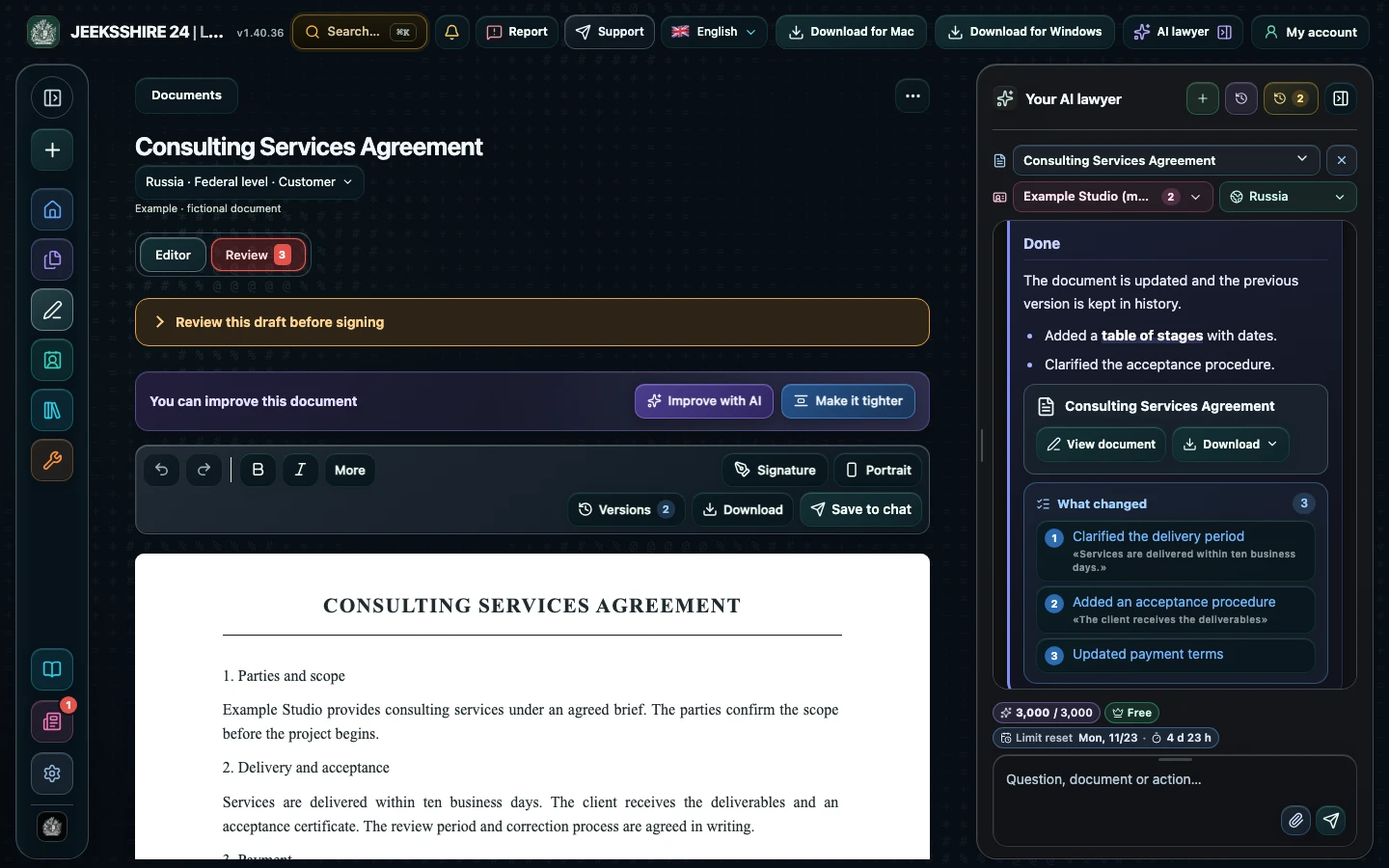
Original PDF mode keeps the original pages and rotation: you can place a graphic signature and add text on top of them, including on a scan without a text layer. The text version turns the document into editable formatted text, but with a new layout. To sign and send, use the original PDF; to rewrite clauses, use the text version.
Where AI comes in
Text recognition and editing work without AI. Once the text is ready, you can hand it to the assistant: ask it to explain a clause, suggest wording or run a contract review. The parties' details are stored in profiles and used when drafting documents.
Questions about the PDF editor
Do I need to install anything?
No, the editor works in the browser once you sign in. For desktop, there are also apps for Mac (Apple Silicon, macOS 13+) and Windows 10/11 (x64 and ARM64).
Can I change text directly in a screenshot?
Yes: use the image editor's text areas and adjust the font, size and position of the block. The original image remains the base; check the result visually.
Is the signature in the editor a qualified electronic signature?
No. It is a graphic image of a signature. Its significance depends on the parties' agreements and the applicable law.
Will the PDF layout change?
In original PDF mode, pages and rotation are preserved. The text version of an imported PDF gets a new layout.
How many pages can be recognized?
In the browser and on Windows — up to 150 pages at a time; in the Mac app — up to 40. The file itself can be up to 15 MB.
Is it free?
The editor and export are available on Free within the quotas. Plus and Pro are needed for AI contract review with legal research and for drafting legal documents.
Can I open a DOCX and save it as a PDF?
Yes. Open the DOCX, edit the text and choose export to PDF or another available format.
Where do I store the parties' details?
In party-details profiles: save them once and pick them when drafting new documents.